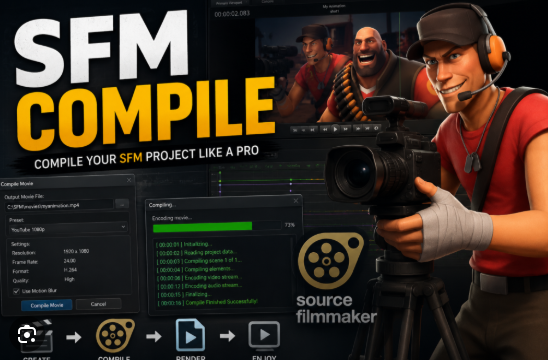
Creating animations with Source Filmmaker (SFM) involves more than arranging models, cameras, and lighting. After completing a project, creators must compile or export their work into a playable video format. This process is commonly referred to as SFM Compile, and it is an essential step for sharing animations on platforms like YouTube, Vimeo, or social media.
Many users search for SFM Compile to understand the compilation process, solve rendering problems, improve video quality, and optimize export settings. This guide explains what SFM Compile means, how the process works, common issues, and best practices for achieving high-quality results.
What Is SFM Compile
SFM Compile refers to the process of rendering and exporting a Source Filmmaker project into a final video or image sequence. During compilation, SFM converts the animation, camera movements, lighting, effects, and audio into a finished output that can be viewed without using Source Filmmaker.
The compilation process allows creators to transform their editing timeline into a shareable media file.
Purpose of SFM Compile
The primary goal of compiling an SFM project is to create a finished animation that can be viewed on different devices.
Its purposes include:
- Exporting completed animations.
- Creating high-quality videos.
- Producing image sequences.
- Preparing content for video editing.
- Sharing projects online.
- Archiving completed work.
- Preserving animation quality.
Compilation is the final stage before publishing an SFM project.
Common Output Formats
Depending on the workflow, creators may export projects as:
- AVI video files.
- Image sequences (PNG, TGA, or JPG).
- Audio files.
- Individual rendered frames.
Many experienced creators prefer image sequences because they provide better stability and make it easier to recover from rendering interruptions.
Steps in the SFM Compile Process
A typical workflow includes:
- Finish the animation timeline.
- Review camera movements.
- Check lighting and visual effects.
- Verify audio synchronization.
- Choose export settings.
- Select the desired output format.
- Start the rendering process.
After rendering, creators often use video editing software to combine image sequences, add effects, and produce the final video.
Common SFM Compile Issues
Some users encounter problems during compilation.
Common issues include:
- Render crashes.
- Missing textures.
- Black screens.
- Audio synchronization errors.
- Slow rendering performance.
- Memory limitations.
- Corrupted output files.
Most problems can be reduced through careful project optimization and updated software.
Tips for Faster Rendering
To improve compile performance:
- Close unnecessary background applications.
- Save projects frequently.
- Reduce extremely high render settings when testing.
- Keep graphics drivers updated.
- Use sufficient storage space.
- Render shorter scenes before producing the complete animation.
Testing smaller sections helps identify issues before rendering the full project.
Improving Video Quality
To achieve better results:
- Use appropriate lighting.
- Select higher resolution settings.
- Enable anti-aliasing when available.
- Optimize camera movements.
- Use high-quality textures.
- Preview scenes before final rendering.
Balancing quality and rendering time is an important part of animation production.
Benefits of Image Sequence Rendering
Many SFM creators prefer rendering image sequences because they offer several advantages:
- Better crash recovery.
- Higher image quality.
- Easier post-production editing.
- Flexible color correction.
- Individual frame replacement.
- Improved workflow reliability.
If rendering stops unexpectedly, creators can often continue from the last completed frame instead of starting over.
Who Can Benefit From Learning SFM Compile
The compilation process is useful for:
- Beginner animators.
- Content creators.
- YouTubers.
- Game filmmakers.
- Digital artists.
- Animation students.
- Source Filmmaker enthusiasts.
Understanding the export process helps creators produce professional-looking videos.
Best Practices for SFM Projects
To improve your workflow:
- Save backup versions regularly.
- Organize project files.
- Test renders before final export.
- Keep Source Filmmaker updated.
- Use official assets whenever possible.
- Verify project settings before compiling.
Good project management reduces rendering errors and improves efficiency.
Final Thoughts
SFM Compile is the final step in transforming a Source Filmmaker project into a finished video or image sequence. Understanding export settings, optimizing project performance, and following a structured rendering workflow can significantly improve the quality of the final animation. Whether you are creating short clips, cinematic scenes, or complete animated productions, mastering the compilation process is an important skill for every Source Filmmaker creator.
Frequently Asked Questions
What does SFM Compile mean?
SFM Compile refers to rendering or exporting a Source Filmmaker project into a final video or image sequence that can be viewed outside the software.
Why do many creators use image sequences instead of AVI files?
Image sequences are generally more reliable because if rendering stops, you can usually resume from the last completed frame instead of rendering the entire project again.
Why is my SFM compile slow?
Rendering speed depends on scene complexity, lighting, effects, computer hardware, available memory, and export settings.
How can I improve SFM render quality?
Use higher-resolution settings, optimize lighting, enable anti-aliasing where appropriate, use high-quality textures, and preview scenes before performing the final render.
What should I do if SFM crashes during compilation?
Save your project regularly, render smaller sections for testing, use image sequences when possible, ensure enough storage space is available, and keep your graphics drivers and software updated.